


Dr. Panda Train
3.713.00 Reviews
App Specs
- Version
- 26.3.13
- Updated On
- License
- $3.99
- Downloads
- 100,000+
- Developer
- Dr. Panda
- Categories
- Educational
- Platform
- Android
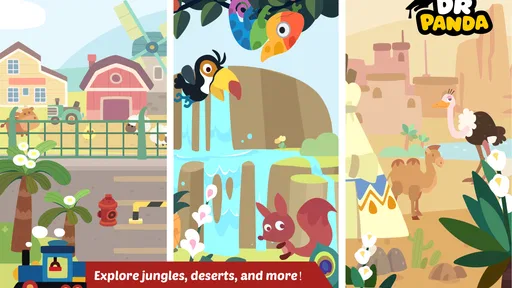
Screenshots
 Analysis by AppCompare
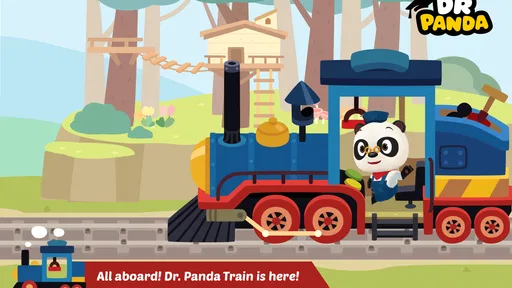
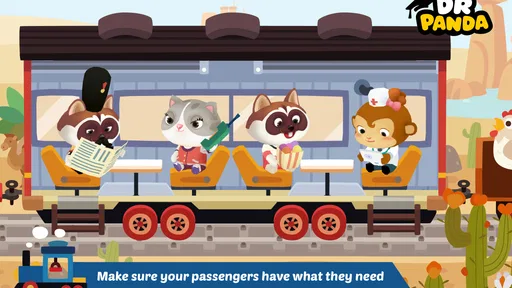
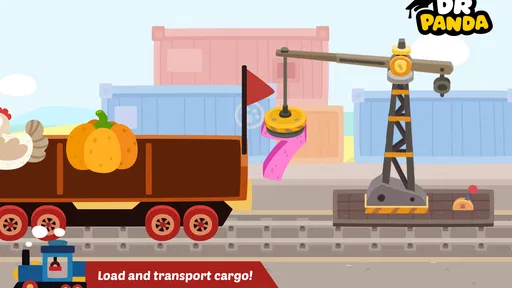
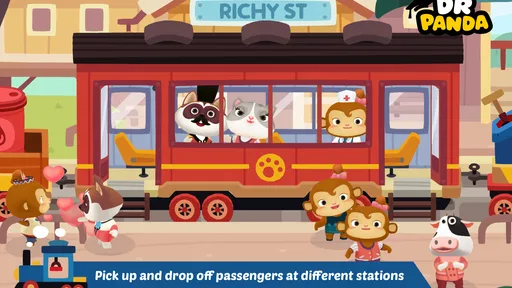
I found Dr. Panda Train most interesting when I stopped treating it like a conventional level-based game. It is a gentle educational game from Dr. Panda in which children take control of a train, move passengers around, load cargo, and explore a small world through hands-on actions. My first impression was that it is less about winning and more about giving a child a playful setting in which to make choices, notice cause and effect, and invent little journeys.
That difference matters when deciding who will enjoy it. A child looking for fast challenges, scores, or a clear campaign may find it too open-ended. A younger player who enjoys vehicles, pretend play, and repeating familiar actions is much more likely to settle into it. I also think it can work well for an adult and child playing side by side, because the train provides an easy starting point for conversation: where should the passengers go, what should be loaded, and what might happen next?
How the train world supports different ways of playing
I see the train’s familiar routine as a useful starting point for more than one kind of play: a child can focus on steering, pretend to organize a trip, or make up a reason for each stop. That flexibility lets an adult join without dictating the story, and it makes the next question practical: how can the same simple world suit different children and situations?
Readability and navigation for young players
The central idea is easy to understand. The train is the main object, and the surrounding activities give the player reasons to move through the world. Instead of asking a child to read instructions or memorize a complicated menu, the game presents a familiar situation: drive, stop, help people, and handle goods. That makes the first few minutes approachable even for a player who is not yet a confident reader.
I particularly like this kind of visual structure for children who understand actions more quickly than written explanations. The train itself acts as an anchor. When a child loses track of what to do, returning attention to the vehicle gives the play session a natural reset point. An adult can also use simple spoken prompts without taking over: “Who is waiting?” or “What could go in that carriage?”
The navigation is best understood as exploration rather than a sequence of tightly signposted tasks. That is a strength for imaginative play, but it can also create uncertainty. Some children will happily tap around until they discover the next interaction; others may need an adult to explain that the game rewards curiosity rather than a single correct route. I would not choose it for a child who needs constant, explicit instructions to feel secure.
The most useful approach is to treat the train as a visual routine, not as a test. Start with one simple goal, such as finding a passenger, and let the child gradually notice the other activities. This keeps the screen from becoming visually or mentally busy, especially during the first session.
Worth Reading Before You Choose

EA SPORTS FC Mobile 26 Is a Bigger Football Game, but It Takes Time

Flipboard Shows What News Apps Must Do Beyond the Feed

Switching to Android Auto Means Rethinking Your Driving Routine

Google Calendar Makes a Crowded Week Easier to Manage

Ludo King Makes the Most of the Minutes Between Plans

Baby Panda World Brings Quick Play to Modern Phones, but Its Game Library Feels Busy
Motor and sensory considerations
Train play naturally involves tapping, dragging, and changing direction, so the game offers a practical way to observe how a child manages touch interaction. A child with developing fine-motor control may enjoy the direct connection between moving a finger and making the train respond. Repeating the same action can also build confidence without the pressure of a timer or competitive score.
At the same time, direct touch control is not automatically easy for every player. A child with limited precision, tremors, reduced hand strength, or difficulty coordinating two actions may need more time to position a finger accurately. I would let the child use a larger device where possible and keep the session short enough that frustration does not become the main experience. An adult can also take over a difficult movement while leaving the child in charge of choosing the destination or deciding what happens next.
The game’s calm, pretend-play format is likely to suit children who dislike the pressure found in racing games. There is less reason to rush, and the train theme gives the player a predictable framework. However, families should still watch how an individual child responds to movement, sound, and repeated on-screen activity. A child who is sensitive to animated scenes may prefer playing in a quiet room with the device brightness adjusted to a comfortable level.
One useful shared-play technique is to divide control by role. The child can decide which passenger to help or which cargo to load, while the adult handles a tricky drag. This is more inclusive than simply playing for the child, because the child remains the source of the important decisions. It also reveals whether the difficulty comes from understanding the game or from the physical act of touching and moving objects.
Situational access at home and on the move
I can see this game fitting neatly into a short waiting period, a quiet afternoon, or a shared wind-down before another activity. Its train setting works particularly well when a child already has an interest in transport, stations, deliveries, or make-believe travel. A parent could turn a brief session into a language activity by asking the child to describe each passenger, explain the cargo, or tell a story about the next stop.
It is also suitable for a child who does not enjoy traditional educational exercises. Rather than presenting letters, sums, or worksheets as the main task, it uses pretend responsibilities to encourage observation and decision-making. That makes it a better fit for informal learning than for a parent who wants a structured lesson with visible progress markers.
The game is available for Android, with a minimum operating system requirement of Android 7.0. That is helpful for families using an older compatible device, although the practical experience will still depend on the particular phone or tablet. A larger screen is preferable for small hands, and a stable grip or stand can make train control easier for children who find handheld play tiring.
It is listed at $3.99, which places it in the paid-app category rather than the free-to-try group. I see that as a meaningful consideration for families who prefer to avoid advertising or complicated in-game purchasing decisions, but the price also raises expectations. Before buying, parents should ask whether their child enjoys slow, open-ended play. If the child wants rapid rewards and a large variety of challenges, a less focused game may offer better value.
What the game does well for varied abilities
The strongest inclusive quality is the low-pressure premise. A child does not need to be the fastest player or read a long set of instructions to take part. The train gives the session a recognizable rhythm, while passengers and cargo create different kinds of interaction. One child may focus on driving, another on helping characters, and another on arranging a story around the journey.
This flexibility also makes it useful for mixed-age play. A younger child can experiment with movement while an older sibling invents a delivery mission. An adult can add vocabulary, sequencing, or social questions without turning the game into a formal lesson. For children who communicate through play more comfortably than through direct questioning, the train can provide a shared subject to talk about.
There is a subtle advantage in letting the player repeat familiar actions. Repetition is not wasted time here; it can be the point. A child may drive the same route several times, load similar cargo, or revisit a passenger simply because the routine feels satisfying. Parents who expect every minute to introduce a new concept may see that as limited, but I think it can be valuable for children who benefit from predictability.
Another practical tip is to establish a stopping cue before handing over the device. Because open-ended play does not always signal a natural finish, a child may find it difficult to stop suddenly. Saying “one more passenger, then we put the train away” gives the session a clear ending without making the game feel like a punishment.
Remaining barriers and realistic limitations
The same openness that makes the game welcoming can leave some players without enough direction. Children who need explicit goals, visible progress, or frequent confirmation may ask what they are supposed to do next. The game is not the best replacement for a structured educational app that teaches a defined skill step by step.
Touchscreen control is another barrier that should not be overlooked. A device can register an unintended tap, and a child who has difficulty with precise gestures may become more interested in the struggle than in the train world. Shared play, a firm surface, and a larger display can help, but they do not remove the underlying need for physical control.
I would also be cautious about assuming that the Everyone content rating means the experience will suit every child equally. It describes an age-appropriate category, not an individual sensory or learning profile. Parents still know best whether a child prefers gentle exploration, whether animated movement is comfortable, and whether an open-ended game will feel liberating or confusing.
The game’s age and current software version are also worth considering when setting expectations. It was released on June 21, 2017, and the current version is 26.3.13. That does not make it unsuitable, but it places the experience in a particular era of mobile game design. Players expecting the constant novelty, elaborate progression, or highly guided onboarding common in newer children’s games may find this simpler approach dated.
Its audience size suggests that it has reached a substantial family audience, with more than one hundred thousand installs. The average rating is 3.7 from roughly four hundred ratings, so the public response is mixed rather than universally enthusiastic. I would read that as a reason to match the game carefully to the child, not as a reason to dismiss it. A focused train-play experience can be exactly right for one child and too limited for another.
Where it fits beside usual alternatives
Compared with a racing game, this is a calmer choice. The child is not mainly learning to react quickly or beat an opponent. Compared with a puzzle app, it is less precise and less obviously instructional. Compared with a video-led children’s app, it asks the player to act rather than simply watch. Those differences make it useful for families trying to reduce passive screen time without demanding academic exercises.
On the other hand, a dedicated early-learning app will usually be better if the goal is letter recognition, counting practice, or a carefully staged curriculum. A construction or sandbox game may offer more creative freedom for an older child. A competitive train game may be more exciting for someone who wants speed and challenge. I would choose this title when the priority is gentle interaction around a familiar vehicle, not maximum content variety.
One of my preferred ways to use it is as a bridge between screen play and real-world conversation. After a session, a parent can ask the child to draw a train route, sort household objects as pretend cargo, or explain why a passenger might need to travel. This extends the game without requiring extra digital features. It also helps children who enjoy storytelling get more from the simple mechanics.
Who should try it, and who should skip it
I would recommend it to a young child who enjoys trains and benefits from unhurried exploration. It is especially promising for families looking for a paid, self-contained style of play rather than an app built around competition or constant rewards. The Everyone rating makes it broadly age-appropriate, while the simple premise gives adults an easy way to join in.
I would skip it if the child quickly loses interest without levels, scores, or a strong sense of achievement. I would also look elsewhere if the main purpose is formal teaching, because driving a train and helping passengers is not the same as following a planned academic progression. Children who struggle with touch accuracy may need an adult nearby, particularly during the first few sessions.
For families wondering whether it works offline or whether every device interaction will feel identical, I would keep the decision practical: install it on the device the child will actually use and test the physical comfort of that setup. Screen size, grip, and the child’s preferred play position can matter as much as the game concept. The Android requirement of 7.0 makes compatibility possible on some older devices, but it is still sensible to check the specific hardware before paying.
My inclusive verdict
After spending time with it, I see Dr. Panda Train as a focused educational game with a welcoming idea rather than a complete learning platform. Its best feature is the way it turns ordinary train activities into open-ended play. Children can participate through movement, choice, conversation, or storytelling, and adults can adjust the challenge by helping with gestures while preserving the child’s control over the story.
Its limitations are equally clear. The game may feel under-directed to children who need explicit objectives, and touchscreen interaction can be tiring or awkward for some players. The paid price of $3.99 is reasonable only if the child genuinely enjoys the slower train-centered format. I would not buy it expecting a broad collection of lessons or a long progression system.
My final recommendation is therefore specific: choose it for a child who likes pretend journeys, repeated routines, and gentle cause-and-effect play. Use a larger screen, offer shared control when needed, and turn the train’s activities into conversation rather than demanding that the child complete them independently. For that audience, Dr. Panda Train can be a charming and accessible-feeling way to play together. For children seeking speed, competition, or formal instruction, another educational game will probably be the better choice.
Pros
- Simple controls make it easy for young children to play independently.
- Bright visuals and friendly characters create an inviting experience.
- Train routes encourage gentle exploration without time pressure.
- Works well as a quiet
- low-stress activity for preschoolers.
- Child-friendly design avoids ads and complicated menus.
Cons
- Gameplay may feel repetitive after several sessions.
- Limited challenge means older children may lose interest quickly.
- Some features may require an in-app purchase to unlock.
- The app offers little educational guidance or structured learning.
- Device storage and compatibility requirements may vary by platform.
FAQs for Dr. Panda Train
What is Dr. Panda Train, and what can children do in the game?
Dr. Panda Train is a child-friendly interactive game in which children can explore a colorful train world and take on the role of a train driver or passenger. Players can choose characters, visit different carriages, interact with objects, and discover playful activities. The experience is designed around open-ended exploration rather than strict goals, allowing children to create their own stories while learning through simple interaction.
Is Dr. Panda Train suitable for young children?
The game is generally aimed at preschool and early-primary children, with simple controls, bright visuals, and activities that are easy to understand without reading advanced instructions. Younger children may still need an adult to show them how the touch controls work at first. Parents should check the current store age rating, device requirements, and available language information before downloading, since these details can vary by platform and region.
Does Dr. Panda Train require an internet connection to play?
After the application has been installed, the main gameplay is intended to be accessible offline, which makes it convenient for travel or situations without Wi-Fi. An internet connection may still be needed for the initial download, updates, restoring purchases, or accessing store-related services. For a smoother experience, it is recommended to install and open the game once while connected before giving the device to a child.
Does Dr. Panda Train include advertisements or in-app purchases?
Dr. Panda Train is designed as a children’s experience and is typically presented without the intrusive advertising found in many free-to-play mobile games. Depending on the version and the store listing, it may be offered as a paid download or have specific purchase conditions. Parents should review the current Google Play or App Store page carefully, including purchase information, before downloading and should use device-level parental controls where appropriate.
What devices are compatible with Dr. Panda Train, and is it worth downloading?
Compatibility depends on the operating system, device model, and version of the game available in your region. Before downloading, check the official store listing for the required Android or iOS version, storage space, and supported devices. It is a worthwhile choice for families seeking a calm, imaginative game with no complicated rules, although children looking for competitive challenges, levels, or fast-paced action may find it too simple.


